Savings goals app: a piggy bank on your phone
Set a goal and an amount, move money into it from an account, and watch your progress. Money you’ve set aside no longer counts as free to spend, so you can’t spend it by accident.
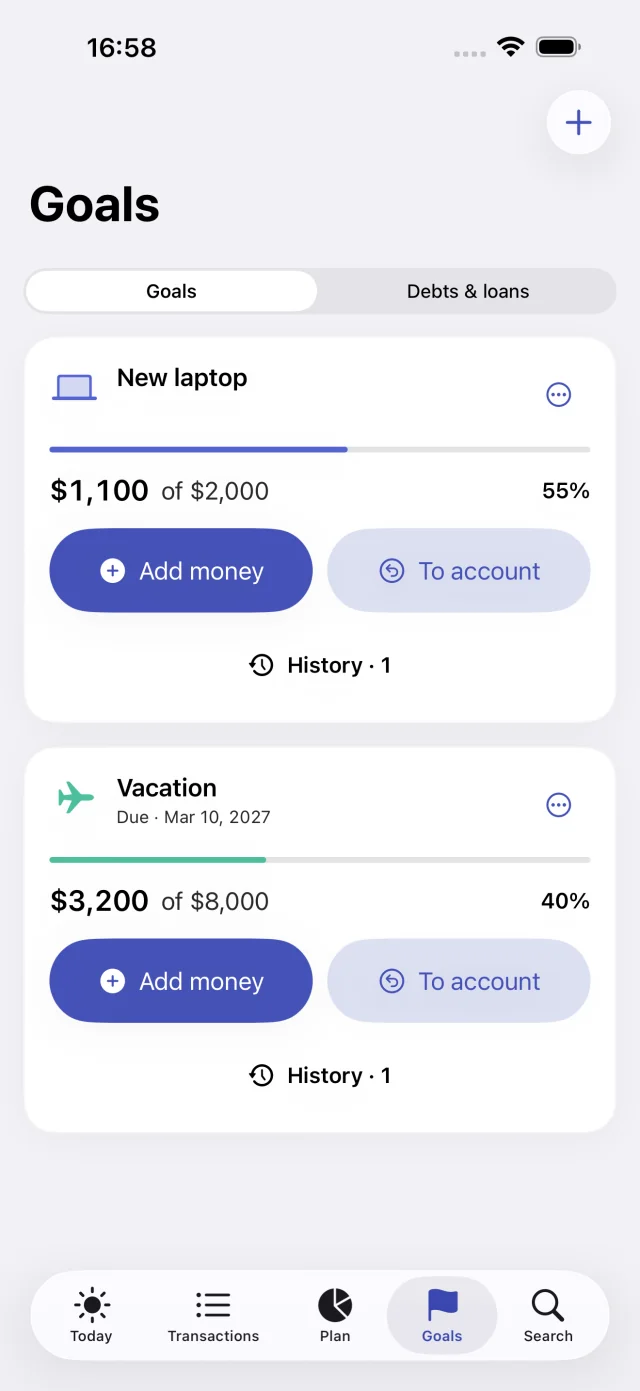
How to create a goal
- Enter a name and an amount, for example “Vacation”, $900.
- Set a deadline if you need one.
- Add money to the goal from a specific account: amount, account, date, and a comment.
Deposits and returns
A deposit reduces the balance of the chosen account but isn’t counted as an expense: you’re not spending the money, just moving it. A return puts the money back into the account.
You can deposit no more than what’s in the account and what’s still missing from the goal. You can return no more than you’ve saved. The goal card keeps the history with dates, accounts, and comments.
How much to set aside
A $900 goal in 6 months means $150 a month. If you add to the goal on payday, your free-to-spend amount until the next paycheck drops by $150 right away, and the daily guide shows an honest number.
A weekly reminder
The app can remind you to save on the day and at the time you choose. The notification opens the deposit form: goal, account, amount, and date.
Goal or protected reserve
For money you never touch, Svobodno has the protected reserve: it is always subtracted from your free-to-spend amount. Goals work better for specific purchases and trips.
Core features are free. Some advanced features are part of the Svobodno Plus subscription; the App Store shows the price and terms before you confirm.
Questions
How do I make a piggy bank on my phone?
Create a goal with an amount and a deadline, and add money to it from an account. Your progress and the amount still needed are shown on the goal card.
Does adding money to a goal count as an expense?
No. The money moves from the account into the goal and is no longer free to spend, but it isn’t included in expenses or spending analytics.
Can I take money out of a goal?
Yes, with the return-to-account button. The amount goes back to the account you choose and becomes part of your free-to-spend money again.
Do savings goals cost extra?
No, goals are included in the free version.

Try it with your own accounts
Add your balances, mandatory payments, and reserve to calculate what you can spend.