Expense tracker with a receipt scanner: photo, screenshot, and QR code
Take a photo of a paper receipt or add a screenshot of a digital one. The app reads the total, date, and currency on your device and shows everything for review before saving.
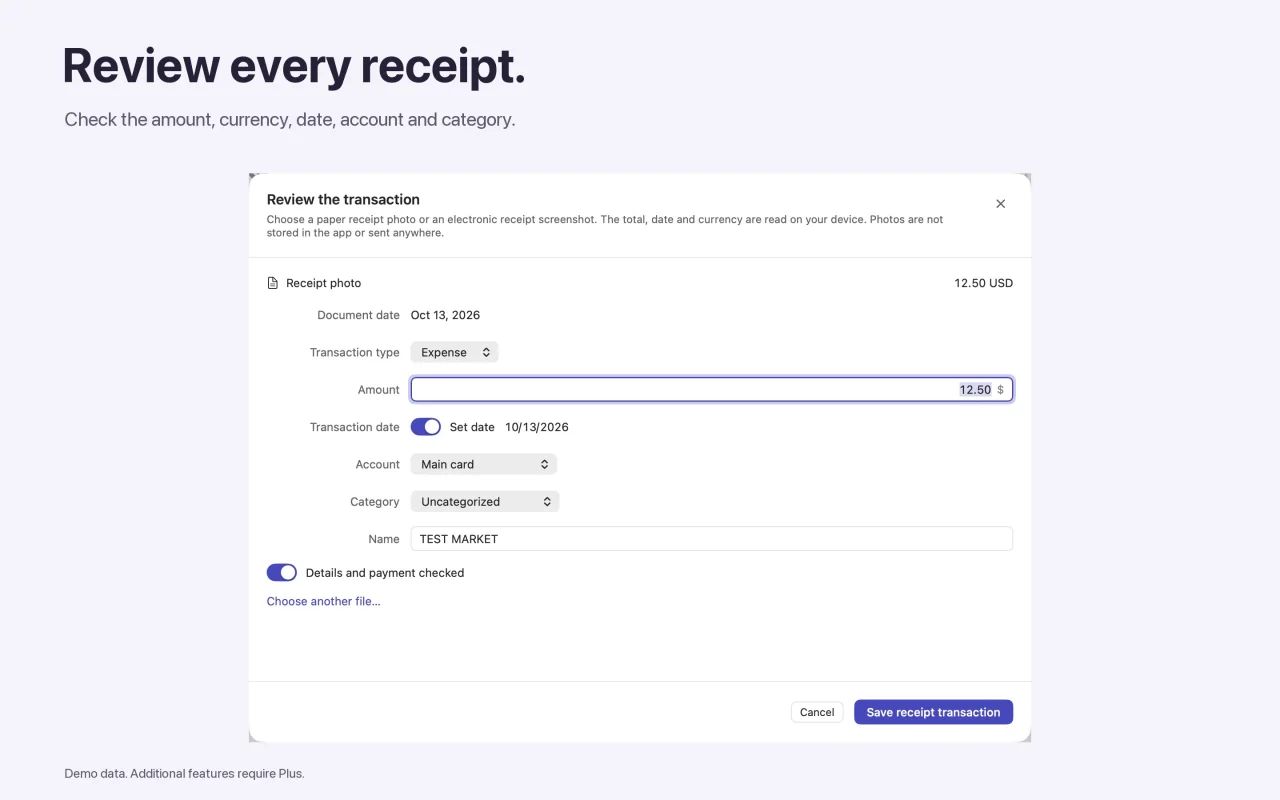
Receipt photo or screenshot
Choose a photo of a paper receipt or a screenshot of a digital one. Recognition runs on your device. The photo is not stored in the app or sent anywhere.
Receipt QR codes
The app reads compatible receipt QR codes from Russia, Kazakhstan, Poland, and Turkey (including e-Fatura and e-Arşiv) straight from an image, with no camera required, and links in the code are never opened.
Review before saving
- Add a photo, a screenshot, or an image with a QR code.
- Check the amount, currency, and document date.
- Choose the account, category, and transaction type.
- Confirm, and the transaction appears in your history and in the free-to-spend calculation.
If the receipt is in a different currency from your budget, enter the amount actually charged: there is no automatic currency conversion.
Duplicate protection
Exact duplicates are blocked, and similar entries need a separate confirmation.
Core features are free. Some advanced features are part of the Svobodno Plus subscription; the App Store shows the price and terms before you confirm.
Questions
Are receipt photos saved?
No. The photo is used for recognition on your device, is not stored in the app, and is not sent anywhere.
Which QR codes are supported?
Compatible receipt formats from Russia, Kazakhstan, Poland, and Turkey (e-Fatura, e-Arşiv). Not every QR code from these countries.
Does it work on Mac?
Yes. You can add receipts from photos and screenshots in both the iPhone and Mac versions.

Try it with your own accounts
Add your balances, mandatory payments, and reserve to calculate what you can spend.